Physical Address
304 North Cardinal St.
Dorchester Center, MA 02124
Physical Address
304 North Cardinal St.
Dorchester Center, MA 02124

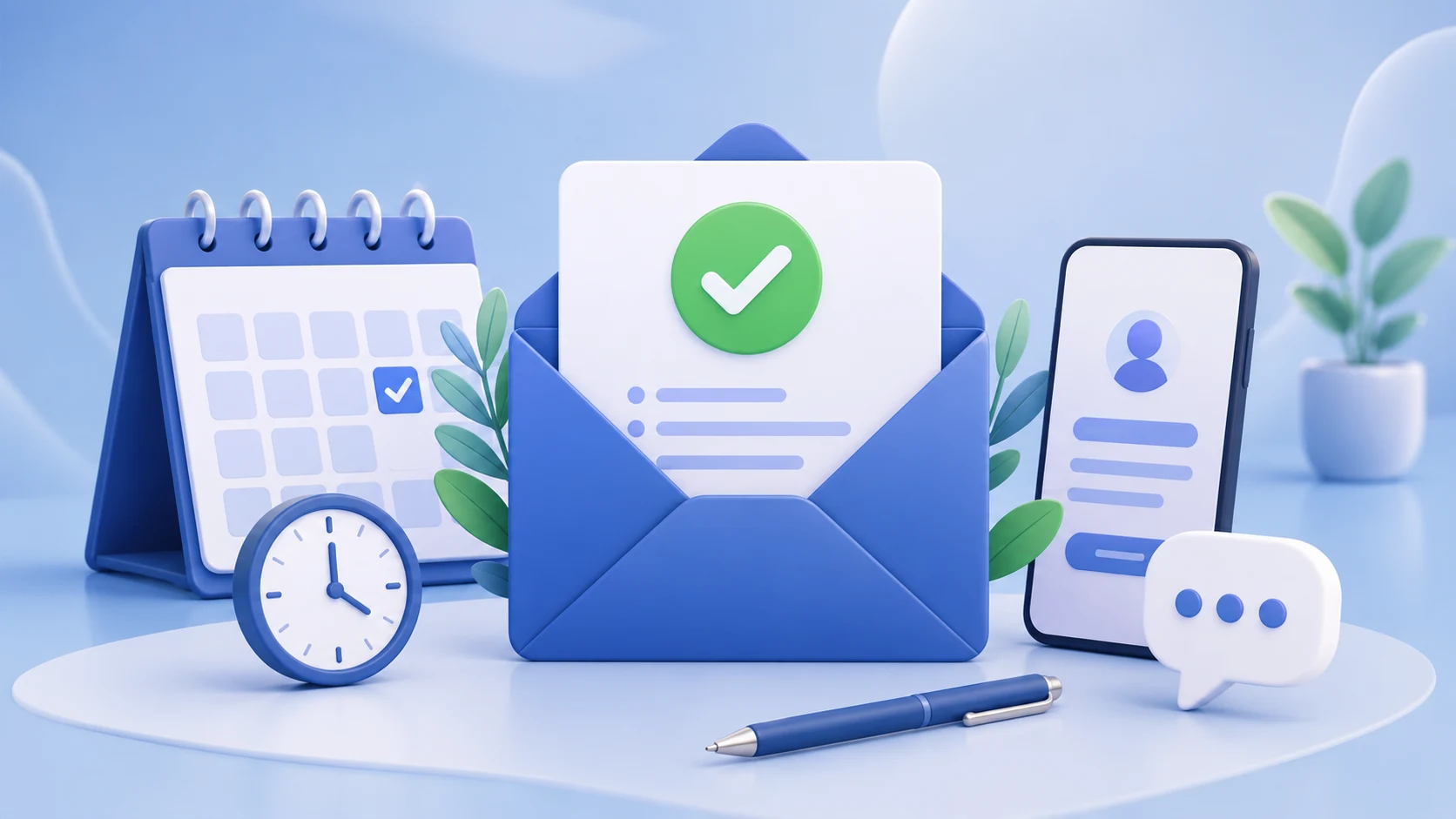
You have definitely booked something once in your life; think of you at the end, and get to know that your appointment is shifted or cancelled. So embarrassing, right? This is the core point behind sending and receiving an appointment confirmation email. When someone receives an appointment confirmation email, it brings clarity and satisfaction. Also, for marketers, it brings authenticity and accountability.
For teams running an email campaign, this email type becomes one of the most important automated touchpoints. It also connects directly with your email service provider, influencing engagement rates, trust, and overall email deliverability performance. So it is highly important to know how to write an appointment confirmation email that sets expectations instantly, reduces confusion, and keeps scheduling smooth for both businesses and customers.
No worries! This guide will break down how to write an effective appointment confirmation email, provide real confirmation email examples, and show ready-to-use templates that can be applied across industries. Let’s start!
An appointment confirmation email is an automated message that is sent after a user books a service, consultation, meeting, or session. It confirms that the booking is successful and shares all key details in one structured format.
An appointment confirmation email should include:
In most systems powered by an email service provider, this message is triggered instantly after a booking is completed.
A simple appointment confirmation email does not just share details, but it builds structure into communication and provides assurance to the customer. It covers all the necessary details related to the appointment place, date and time, including any other necessary details. A well-written appointment confirmation email minimizes missed appointments, answers all queries in one place, brings clarity for both customers and the sender, builds early trust with new users, and improves scheduling efficiency.
For businesses running a structured email campaign, this email becomes a key part of the customer journey, especially at the first interaction stage. A well-designed system also improves the performance of a meeting confirmation email and follow-up reminder flow.
If you do not utilize the appointment confirmation email, it quickly frustrates customers. This damages their experience with your brand and reduces trust. To prevent this, businesses should send an appointment confirmation email immediately after any action. So customers have all the necessary details without needing to follow up with additional questions.
Every effective email follows a simple structure, and so to write a strong appointment confirmation email template, you should include these core components.
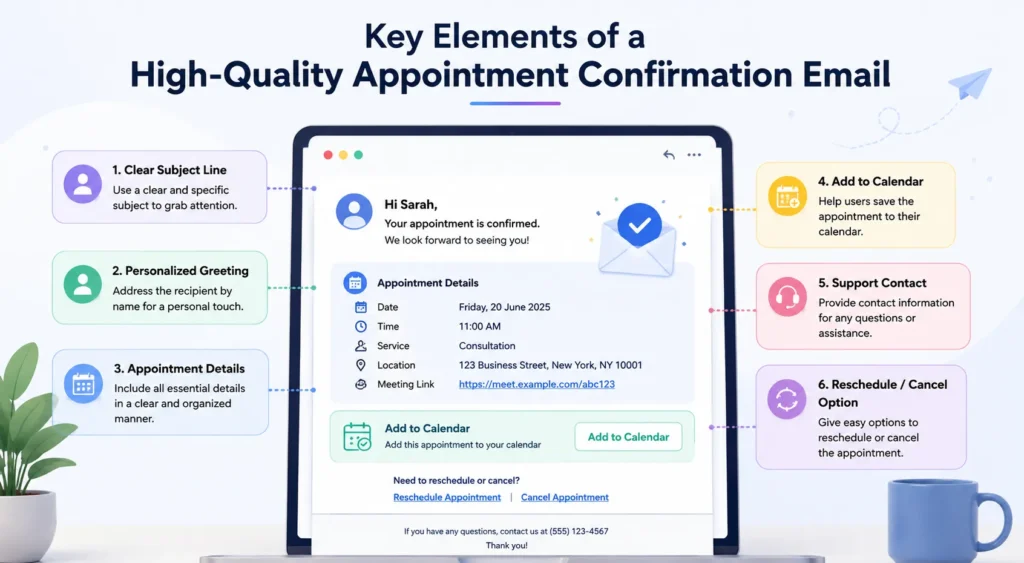
The very first and most important part of an appointment email is your subject line, which is used to make the first impression of any email.
You can use these lines as your subject line:
Your simple subject lines can improve open rates inside your email campaign.
You should add the user’s name and make it a little bit personalized. It will improve clarity and connection.
For example:
Hello Neha, your appointment is confirmed.
This is the most important part of the email. Add all the necessary details regarding the appointment in the email, like date, time, location or virtual meeting link, service type, etc. This section forms the core of any appointment confirmation email template.
If you add an option of “Add to Calendar” to that email, it will reduce missed bookings and improve attendance.
Do not forget to add your contact no or details so that they can contact you in case of any query.
Improve user experience by adding options like Reschedule or Cancel. It gives users flexibility and reduces frustration.
End your email with a simple closing line, which should be short, direct, and professional.
Writing a strong appointment confirmation email demands just structure and clarity. Here you will understand how to start writing an appointment confirmation email to avoid confusion step by step.
Step 1: Start by writing a clear subject line. You should avoid confusing lines and keep your email subject line direct and to the point.
Step 2: Add personalization. Use the customer’s name to create immediate clarity.
Step 3: Inform the user directly about their appointment confirmation. write in a way that “your appointment is successfully scheduled.”
Step 4: Your fourth step is adding structured details. Break information into readable sections.
Step 5: Do not forget to add calendar sync, rescheduling or cancellation links for the user’s better experience.
Step 6: End with simple communication. Do not write long closing paragraphs in the end.
Your appointment confirmation email should not be lengthy but to the point. Tell the main information in the shortest but clear form. This structure works across industries and fits easily into any email service provider workflow.
Here is a professional appointment confirmation email template example to make it easy for you. You can pick anyone to apply for yours:
Subject: Appointment Confirmed – (Service Name)
Hello [First Name],
Your appointment has been successfully scheduled.
Details:
Date: (xx/xx/xxxx)
Time: (xx: xx)
Service: (Insert Service Name)
Location/Link: (Insert Meeting Link or Address)
Add to your calendar: (Calendar Link)
If you need to reschedule or update your appointment, reply to this email or contact us at (Contact deatils- no. or anything that suits).
We look forward to meeting you.
Regards,
(Business Name)
You can use this template for businesses like clinics, consultants, salons, agencies, and SaaS platforms.
Many businesses lose engagement because they make these basic mistakes in their appointment email templates:
1. Too much information in one email- Make sure you do not overload your email, as it reduces clarity.
2. Missing appointment details- Many marketers write everything except the main details. Incorrect or incomplete timing or date can create confusion, and you lose trust.
3. Weak subject lines- If you do not take the subject line seriously, your reader will not take your email seriously. Because generic subject lines reduce open rates.
4. No mobile optimisation- Most users check their emails on mobile. So pay attention to how your email looks on different devices.
5. No clear next step- This is also one of the most important steps that marketers sometimes skip. Users should know exactly what to do after reading clearly.
Fixing these improves the overall quality of every appointment confirmation email sent.
A structured email campaign ensures confirmation emails are not isolated messages but part of a complete communication flow.
1. Automation workflow- Your appointment confirmation emails should trigger instantly and automatically just after booking.
2. Segmentation- Different users receive tailored versions of the appointment confirmation email template.
3. Timing structure- your timing matters the same as your email. Send immediate confirmation followed by reminder emails.
4. Performance tracking- Track open rates, clicks, and engagement to monitor the performance and correct it.
A strong email campaign also improves the effectiveness of every meeting confirmation email sent.
An email service provider plays a major role in email deliverability and how well appointment emails perform. It helps with:
A strong email service provider like TrueSend can improve the consistency and reliability of every appointment confirmation email sent.
A well-written appointment confirmation email is a key communication point that affects trust, attendance, and overall customer experience. When you use a clear appointment confirmation email template, study practical confirmation email examples, improve email deliverability, and manage everything through a reliable email service provider, it helps build a stable system and trust for marketers that supports every booking.
A structured email campaign makes even a simple meeting confirmation email a powerful tool for better communication and smoother operations.
What should an appointment confirmation email template include?
A well-written appointment confirmation email template should include booking details, contact information, a calendar link, and rescheduling options.
What are confirmation email examples used for?
Confirmation email examples help businesses understand how to structure emails for different industries like healthcare, consulting, and services.
What is the difference between an appointment confirmation email and a reminder email?
Many people confuse the appointment confirmation email with a reminder email. Here are the key differences given below:
How do I make my appointment confirmation email more effective?
Here are the tips to improve your appointment confirmation email:
How does an email campaign improve appointment emails?
An email campaign automates, tracks, and optimises confirmation and appointment reminder emails for better engagement and attendance. Good email deliverability ensures that appointment emails reach inboxes instead of spam folders. You can start it with an email service provider.