Physical Address
304 North Cardinal St.
Dorchester Center, MA 02124
Physical Address
304 North Cardinal St.
Dorchester Center, MA 02124


If your emails are landing in spam or not getting delivered at all, there is a high chance that your email is struggling with email authentication. You might have thought that it is a technical issue, but believe me, it’s not hard to understand. Once it’s in place, it quietly does a big job, for example, it tells inbox providers like Gmail and Outlook that your emails are real, trusted, and safe to deliver. So, it is obvious that it is crucial to know how it works.
This guide breaks down everything you need to know about email authentication, from the methods, the how to authenticate email, and why skipping it is no longer an option.

Email authentication is the process of verifying that an email actually comes from the sender it claims to be from. think? Without it, anyone could send a message pretending to be you, and your customers would never know.
The standard email protocol (SMTP) has no built-in way to verify identity. That’s why we need separate authentication methods. The trust of emails builds when it passes these checks, and when it fails, the email gets rejected or falls into spam.
Are you still wondering why email authentication is important? Then let me tell you that, as you, the best email marketing needs good email authentication, which directly improves email deliverability, protects your brand from spoofing, and builds long-term sender reputation. Whether you’re sending a transactional message, a campaign, or a welcome email to a new subscriber, authentication is what gets it to the right place.

There are four main email authentication methods in use today. Each does something different, and together they cover your domain from every angle.
SPF is a DNS record that creates a list of IP addresses and mail servers that can send emails from your domain. When an email is delivered to a recipient’s server, SPF checks this list. If they find that the IP is in the list, then the email passes. But if not, the email will be flagged or rejected and land in spam. Think of it like a guest list at an event where only approved senders will get in.
People consider SPF widely as a baseline requirement. Without it, even your important emails, like a welcome email to a new user, may never reach the inbox. And that’s sad! But you can set it up by adding a simple TXT record to your domain’s DNS through your hosting provider.
DKIM attaches a digital signature to every email you send. This signature is created with the help of a private key on your sending server and verified with the help of a public key published in your DNS.
The key thing DKIM proves is that the email was not changed in transit. If someone intercepts and tampers with the message, the DKIM signature breaks and the check fails.
SPF tells servers where the email came from, whereas DKIM confirms the content is intact and genuine. In email marketing, you really want both.
DMARC builds on top of SPF and DKIM. It runs both checks and adds one more layer, like domain alignment. This confirms that the “from” address the recipient sees matches the domain used in authentication.
What makes DMARC especially powerful is the policy you can set:
DMARC also sends you reports. So you can see when legitimate emails fail, and you can fix issues before they affect email deliverability at scale.
You can start with policy None and monitor the reports before switching to quarantine or reject. Jumping straight to a strict policy without testing can cause real emails to get dropped.
BIMI is the newest addition to the family of email authentication methods. Once you have DMARC in place and enforced, you can publish a BIMI record that displays your brand logo in supporting inboxes (Gmail, Yahoo, Apple Mail).
It’s a visual trust signal. A subscriber sees your logo next to the email before they even open it. Phishing attempts won’t have this – no logo means something’s off.

If you do not know how to set up email authentication, no worries! Here we have explained a step-by-step practical path to getting your domain authenticated.
Make sure you use only one consistent domain in the from address because inconsistency confuses both inbox providers and recipients. So, always avoid using variations like yourbrands-mail.com when your domain is yourbrand.com.
Go into your domain’s DNS settings and add a TXT record. If you use an email service provider like TrueSend, they’ll give you the exact SPF syntax to add, which includes their authorized sending IPs.
Your email service provider generates a public-private key pair. The public key gets added as a TXT record in your DNS. Your ESP handles the signing on their end. Most providers walk you through this step by step.
Now add a DMARC TXT record to your DNS. Start with p=none and set a reporting email address so you receive daily aggregate reports. Once you’ve reviewed the reports and confirmed everything’s passing, move to quarantine and eventually reject.
Once DMARC is in place and sender reputation is high, you’re ready to add a BIMI record with your logo URL. You can use it if you want to increase visibility and open rates. However, let me tell you that it’s optional.
Most email service providers now offer domain verification wizards that handle SPF, DKIM, and DMARC in one place, making the whole process much more manageable.
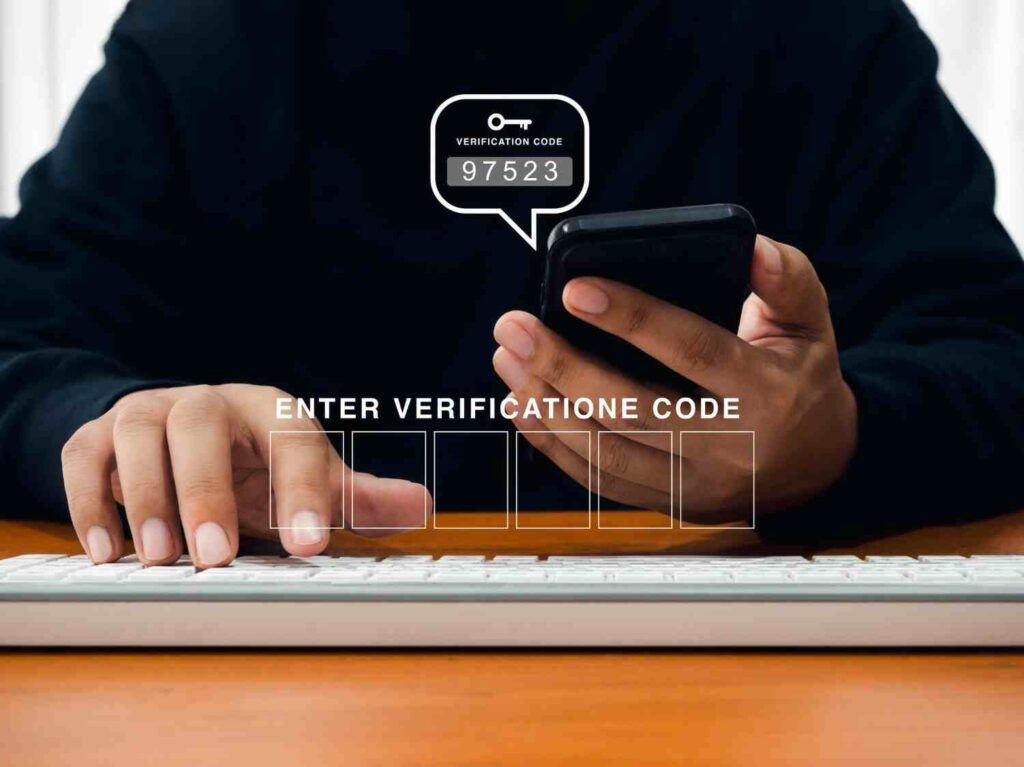
In 2026, your emails sent to Gmail or Yahoo inboxes may be completely prohibited in the absence of SPF, DKIM, and DMARC. Because from 2024, Google and Yahoo have made email verification and authentication compulsory for bulk senders.
Beyond compliance, here’s the real-world impact and reasons:
With an email service provider, you must check if they have a verification dashboard or built-in authentication features. The top systems take care of record verification and key rotation automatically without manual effort.

Once everything is set up, you can verify it quickly:
You’ll see a header summary at the top showing whether SPF, DKIM, and DMARC each passed or failed.
Free tools like MX Toolbox, DMARC Analyzer, and DNS Checker let you validate your records by simply entering your domain name. Most email service providers also include an in-app checker. If any check fails, revisit that specific record. There could be some common issues like extra spaces in DNS values, multiple conflicting SPF records, or misconfigured DKIM selectors. So pay attention!
Setting up email authentication on your own can feel overwhelming, especially when you’re managing DNS records across multiple domains or sending for clients. TrueSend simplifies the entire process.
Email authentication is not like you have set up once, and that’s it. Instead, it needs regular assessment. You should set it up properly from the start, monitor your DMARC reports regularly, and keep your records updated whenever you change your sending infrastructure.
With the right authentication in place, every email you send from a cold outreach to a transactional welcome email has a real shot at reaching the inbox it was meant for.
TrueSend makes email authentication simple. This platform handles domain verification, guides you through SPF, DKIM, and DMARC setup, and monitors your sending health so your emails keep delivering reliably.
What is email authentication?
Email authentication confirms that an email came from the specified sender. Email authentication techniques are intended to protect against email spoofing, in which an attacker attempts to send an email from another domain.
Do I need all three – SPF, DKIM, and DMARC?
To get a better result, you need all three. SPF and DKIM each cover different aspects of verification. Additionally, DMARC combines both and adds a policy layer. That means all three together give your domain the strongest protection and the best deliverability outcomes.
Can I set up email authentication without technical knowledge?
Yes, you can set up email authentication even without technical knowledge. Most email service providers (ESPs) guide you step by step for SPF, DKIM, and DMARC setup. You’ll just need access to your domain’s DNS settings, and the ESP will provide the exact records. You simply copy those details and paste them into your DNS panel to complete the setup.
How do I authenticate my email?
Follow the steps and make a quick email authentication:
How do I know if my email authentication is set up correctly?
You send a test email to a Gmail account and check the original message headers. You can also use free tools like MX Toolbox or your ESP’s built-in domain checker to validate that all records are correctly published.