Physical Address
304 North Cardinal St.
Dorchester Center, MA 02124
Physical Address
304 North Cardinal St.
Dorchester Center, MA 02124

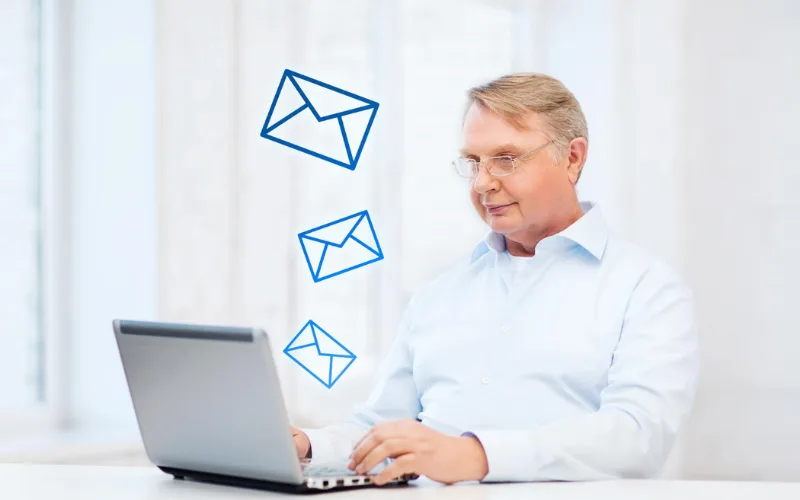
If you’ve ever heard the phrase “loop me in on that email,” that’s very different from your server trapped in an endless spiral of automated messages. One is a polished workplace habit. The other is a silent killer of your email campaign.
Email looping and looping email look almost the same on paper, so people usually confuse the two terms. But they are completely opposite in email marketing. One helps your team stay connected, whereas the other can tank your sender reputation, flood inboxes, and get your domain flagged as spam, all without you even knowing it’s happening.
This guide breaks down both terms, email looping and looping email, and clearly explains “what is email looping” and how looping email differs. Also, here you will understand how to protect your email marketing strategy and email deliverability from the damage a looping email can cause.
Are you also one of those people who get confused between the terms “email looping and looping email”? No worries! We are here to settle this once and for all. Let’s start:
When you want to know “what is email looping?”, let me tell you that, in one word, it is good for your email marketing. Looping someone in or email looping simply means adding a new person to an existing email list. This is everyday professional communication that keeps teams aligned. It confirms that in the email thread, we have included the decision-makers and helps new colleagues get up to speed quickly.
Basically, in email looping, you CC them, forward the conversation, or include them on a reply so they have full context and stay informed going forward.
In short: email looping = intentional, collaborative, human-driven.
Looping email, or a looping mail format situation, is something entirely different and unwanted. It refers to an automated email sent repeatedly between two email systems. The emails keep going back and forth in an endless cycle because neither system recognizes the other’s messages as automated.
Automation is a powerful tool for email marketers, but when it starts looping emails, it hurts email deliverability and email campaigns. This happens when one automated email triggers another. This is what people refer to as “looping in email meaning.” It can cause emails to bounce back and forth repeatedly, creating spam and harming sender reputation.
In short, looping email = unintentional, technical, and damaging to your email marketing.
Imagine you run an email campaign for a software product. A subscriber signs up, and your platform sends an automated welcome email. But that subscriber has an out-of-office auto-reply active on their inbox.
Your platform receives their auto-reply. If it’s not configured to recognize automated messages, it treats that reply like a normal incoming email and triggers another response. You may continue with a follow-up in your onboarding sequence. The subscriber’s server fires back another auto-reply. Your server responds again.
Within hours, both inboxes are flooded with duplicate messages. Your sending domain starts racking up complaints. Then an email service provider notices the unusual activity, and it results in your email deliverability score beginning to drop. This causes your future campaigns, even if you perfectly craft them, to end up in spam folders.
This is looping mail in action. It’s not dramatic until it suddenly is.
Understanding looping in email meaning starts when you clearly understand the technical triggers. A mail loop does not need a major failure. It can start with something very small. Here are the common causes that you need to know that can generate looping emails.
1. Auto-reply conflicts – This is the most frequent reason when two email accounts both have auto-replies enabled, and an out-of-office message on one end and the other one has an automated welcome or acknowledgment. They can keep responding to each other indefinitely. Neither system knows when to stop.
2. Misconfigured forwarding rules – If User A forwards their email to User B, and User B has a rule that forwards back to User A, any message sent to either of them enters a circular loop. The email bounces between the two accounts endlessly.
3. Server-side routing errors – This happens when mail servers have wrong routing rules. The server sends the email back to the original server again and again instead of forwarding the email to the right destination. This creates an endless email loop.
4. Broken notification systems – Sometimes an email system misinterprets a delivery notification as a new message and issues another notification in response. That notification triggers another, and the loop begins.
5. Hop count exceeded errors – Most mail servers count the number of “hops” a message travels through. Once it exceeds a set limit (usually 25–50 hops), the message is rejected, and the sender receives a “Too many hops” error, which is a classic sign of a looping mail problem.
A mail loop isn’t just a technical annoyance for email marketers, but it’s a business problem for all. Here’s exactly how looping email can damage your complete email marketing strategy.
You can not be stuck in a looping email, as it can hurt your entire hard work in minutes. So, now we will understand how you can avoid looping email in simple ways.
The good news is that you can easily fix looping mail. Here’s what every email marketer should have in place:
Here’s the honest truth: Most looping mail problems stem from platforms that weren’t built with deliverability at their core.
At TrueSend, we’ve engineered our platform to catch these issues before they become disasters. Our infrastructure is designed to:
Whether you’re sending your first email campaign or managing complex multi-step automation for thousands of subscribers, TrueSend is built to protect your sender reputation at every step. Because great email marketing isn’t just about writing a good subject line, it’s about making sure your emails actually arrive.
How do I send an email loop?
You need to open your email and add a loop component from the message or insert menu. Now select the type, add content, and include the required people in the thread.
What is +++ looping in mail?
Email looping means adding someone new to an ongoing email conversation. It helps bring others into the thread so they can follow and respond easily.
How does looping email affect my email deliverability?
Email providers may see repeated or unusual activity as suspicious, and this is how looping emails can hurt email deliverability. This can lower your sender reputation and push future emails into spam instead of inboxes.
What is the looping mail format or pattern I should watch for?
A looping mail pattern usually means too many emails are being sent quickly, or the same email is getting repeated. You may also see duplicate emails or errors in logs, which signal a possible email loop issue.
Can looping email hurt my email campaign even if the loop isn’t my fault?
Yes, even if the loop is not caused by you, it can still impact your email campaign. Email providers monitor sending behavior. Repeated email traffic can still hurt your domain reputation.