/ /
Email List Cleaning

Email List Cleaning to Enhance Deliverability.

A dirty email list quietly costs you inbox placement and trust. TrueSend's trained experts offer email list cleaning before it costs you result.
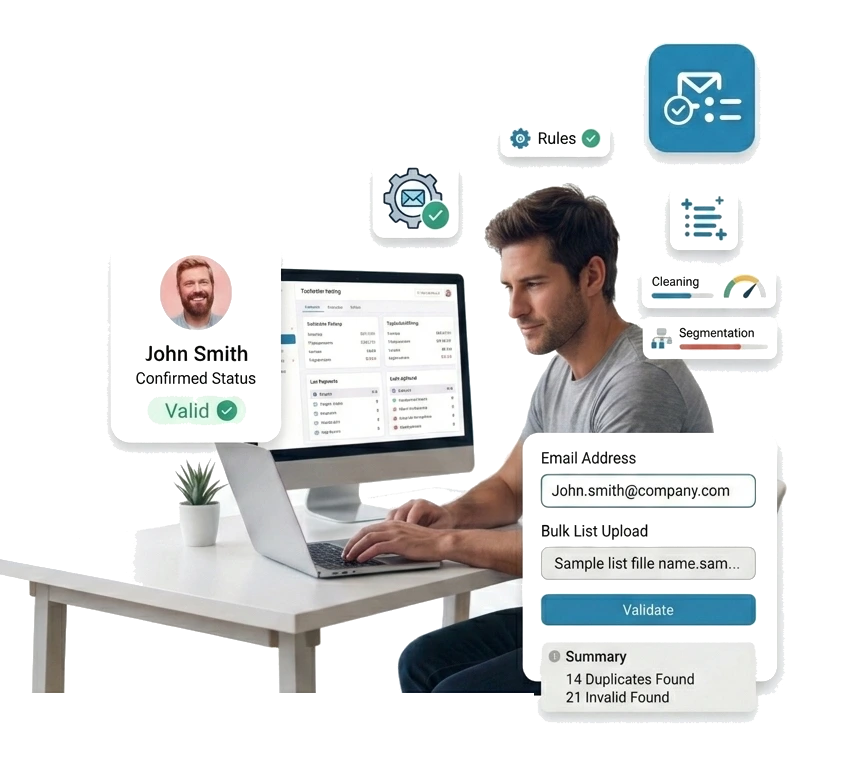
Email List Cleaning Tool TrueSend
What We Clean

What Do We Clean From Your List?

A cleaning process starts with knowing exactly what's hiding in it. TrueSend's email list cleaning software checks every contact, so nothing risky slips through.

Dead & Non-Existent Mailboxes

Closed inboxes, missing domains, broken syntax - these emails bounce the second you hit send. With our online email list cleaning, you get verified email addresses at the server level.

Disposable & Throwaway Emails

Temp addresses look real but vanish in days, inflating your contact list with people who'll never engage. TrueSend flags and removes them before they touch your sends.

Catch-All & Risky Domains

Some domains accept every email, valid or not. It makes real subscribers impossible to spot. Our bulk email list cleaning marks these as risky so you're never guessing.

Credits Remaining 5000
Email List Cleaner
Upload your CSV or paste addresses and TrueSend cleans every contact in seconds.
Upload Your List to Clean
Cleaning Results
sarah@acmecorp.com
james@globalink.io
info@throwmail.net
mark@venturehub.co
Spam Traps Hiding in Your List

A single spam trap can wreck your sender reputation overnight. We hunt down abandoned and planted addresses before they get the chance.

Generic & Role-Based Addresses

We clear shared inboxes, for example, info@, admin@, support@, that rarely open marketing emails. This keeps your list clean and your numbers honest.

Typos in Common Domains

One wrong letter like gmial instead of gmail can turn a good subscriber into a dead email bounce. An email list cleaning tool catches and fixes these to protect your email list hygiene.

HOW WE CLEAN

From Upload to Inbox-Ready

Start email database cleaning with hassle-free steps:

Drop in your file, and our email list cleaning tool takes it from there. No manual sorting needed.
Every address is sorted into simple categories - Valid, Invalid, Risky, or Disposable. So you know exactly what you're working with.
Segment and download your results in a click. There is no extra cleanup required on your end.
We don't just hand you a report, but we tell you which addresses are ready to send. Skip the guesswork and launch with confidence.
app.truesend.io/dashboard
List Cleaning Report
Live
Sep 01, 2026
All
Valid
Invalid
Risky
List Name
campaign-Q4-2026
Total Records
512
Duplicates Removed
14
Status # %
Valid25050.8%
Accept All10520.5%
Unknown121.2%
Disposable101.1%
Invalid13526.4%
512 records
Valid50.8%
Accept20.5%
Invalid26.4%
Unknown1.2%
Dispos.1.1%
355 Safe to send
145 Removed
12 Review
ADVANTAGES

Advantages of Clean Email List

Cleaning an email list makes the difference between whether your email will land in spam or the inbox. A polluted email list can damage your email campaign, but a list cleaning tool can save you.

Higher Inbox Placement
When our email list cleaning tool removes the dead contacts from your list, your emails land where they deserve- in the inbox.
Stronger Sender Reputation
A clean email list keeps your sender score high, and your future email campaigns trusted.
Lower Bounce Rates
Our bulk email list cleaning tool clears out invalid addresses and maintains your email list hygiene. It actually reduces bounce rate.
Real Engagement, Real Numbers
When you are sending to only genuine, active subscribers, you receive pure engagement and improved ratings.
Bigger Budget, Better Results
Online email list cleaning helps you spend your marketing budget on email addresses that actually get opened.
Protection From Spam & Blacklists
A clean list saves you from getting blacklisted. Also, it reduces the number of emails that land in spam.

Want to know more?

What is Email List Cleaning?

You hit send on an email campaign and see open rates dropping. Along with that, your emails keep landing in spam, and so your sender reputation feels shaky. You're not sure why this is all happening. Are subject lines the problem or design? But let me tell you, the high chance is that 'your list is the problem.' This is where an email list cleaning tool is needed, and it's one of the most overlooked steps in email marketing. It is not complicated. Once you understand it, you will find list cleaning as one of the easiest things to do.

So, basically, email list cleaning is the process of finding and removing the email addresses on your list that are invalid, inactive, or risky to send to. Think of it as routine housekeeping for your subscriber database. Basically, you are maintaining your email list to build sender reputation and minimize bounces. Marketers often call this ongoing practice email list hygiene.

Email list cleaning usually means clearing out:

  • Typos and fake addresses – Mistakes like "test@test.com" or a Gmail address missing the ".com"
  • Hard bounces – Email addresses that no longer exist because the domain expired or the account was closed are removed.
  • Spam traps – It also removes email addresses that ISPs use specifically to catch senders with poor list hygiene.
  • Role-based addresses – In the list-cleaning process, it eliminates inboxes like info@ or admin@ that are rarely checked by a real person and almost never engage.
  • Long-term inactive subscribers – Audiences who haven't opened an email in six months, a year, or longer.

Here, we are not targeting to make your list smaller for its own sake. A list of 50,000 addresses that mostly ignores you is worth less than a list of 20,000 that actually opens, clicks, and buys. List cleaning is how you get from the first number to something closer to the second. The aim of a list-cleaning tool is to keep those subscribers who genuinely want your emails and, at the same time, let go of those email addresses who are quietly dragging your email deliverability down.

The Data Behind Why List Cleaning Matters

This isn't a theoretical problem. The numbers back it up.

  • Most marketers skip it. Roughly 39% of email marketers rarely or never clean their contact lists, according to Stripo's deliverability research, which helps explain why so many senders struggle with inbox placement without knowing why.
  • The bounce gap is significant. Teams that verify their lists in real time see bounce rates around 0.3%, while teams that never clean their lists see bounce rates climb past 6.5%, based on industry benchmarking from Cleanlist. Most email deliverability experts consider anything above 2% a warning sign.
  • Contact data decays fast. Email lists lose roughly 2-3% of their accuracy every month as people switch jobs, close accounts, or abandon addresses, per benchmark data reported by Mailshake, which is why a one-time clean isn't enough.
  • Reputation drives almost everything. An analysis of over 53 million emails by Saleshandy found that 83% of non-delivery issues trace back to poor sender reputation, not subject lines or content, and list quality is one of the biggest levers behind that reputation.

The takeaway: list cleaning isn't a "nice to have" step you get to eventually. It's directly tied to whether your emails are seen at all.

How Does List Cleaning Improve Your Email Marketing?

A clean email list changes almost every metric that matters.

  • Better deliverability. Internet Service Providers (ISPs) like Gmail and Outlook analyse the recipients' actions towards your emails. If they notice that a large chunk of your list never opens anything, ISPs start routing your emails to spam automatically. The worst part is that it includes those contacts too who actually want to receive emails from you. But when you have a list that reacts to your emails, you are safe.
  • Higher open and click rates. Removing dead weight means your engagement rate reflects real interest. It is not just inflated numbers from addresses that were never going to open anyway.
  • Lower costs. Most email service providers charge according to list size. If you are paying to email addresses that bounce or ignore, it is nothing but a waste of money.
  • Fewer spam complaints. Spam traps and outdated addresses are a major reason legitimate senders get flagged. But with a clean list, you can reduce that risk significantly.
  • More accurate data. Clean lists give you a true picture of what's working. This makes every future email campaign decision more reliable.

What Happens If You Skip List Cleaning?

Skipping the list cleaning step doesn't just mean wasted sends. Over time, it can quietly damage your entire email program.

Bounce rates climb. ISPs start treating your domain as untrustworthy. Even your best campaigns start landing in spam folders instead of inboxes. Rebuilding a damaged sender reputation can take months, and in some cases, you may need a new sending domain altogether.

In short, an uncleaned list doesn't just underperform; it actively works against you.

When Should You Clean Your Email List?

There's no single "right" moment, but a few situations should always trigger a cleanup:

  • Before a major campaign or product launch
  • Every 3-6 months as routine maintenance
  • After a noticeable drop in open rates
  • Following a spike in bounce rates or spam complaints
  • Before switching to a new email service provider

Regular, scheduled cleaning is far more effective than a one-time deep clean. Think of it as ongoing maintenance, not a rescue mission.

What Every Email Marketer Should Know Before Cleaning a List

A few guidelines make the process safer and more effective:

  • Segment before you delete – Not every inactive subscriber deserves an instant removal. So, you need to try a re-engagement campaign first.
  • Use an email list cleaning tool for bulk checks – Manual review doesn't work once your list crosses a few thousand contacts. A good email list cleaning software (or an online email list cleaning platform you run your list through) catches syntax errors, disposable addresses, and risky domains in seconds. And in the case of bulk email list cleaning, it works like magic without slowing down your workflow.
  • Don't confuse "inactive" with "invalid" – Someone who hasn't opened an email in 60 days is inactive and isn't the same as a fake address, which is called invalid. Thus, treat them differently.
  • Check for spam traps specifically – These are the most damaging entries on any list, and they're not always obvious.
  • Clean before you scale – If you're planning to grow your list through ads or partnerships, you should start with a clean foundation.
  • Know when to outsource it – If your list is large or you'd rather not manage the process in-house, an email list cleaning service can handle the email database cleaning for you. It usually does so with more thorough spam-trap detection than a basic in-house check.

Way Forward

Email list cleaning isn't glamorous, but it's foundational. It protects your sender reputation, improves your numbers, and makes sure your email campaigns actually reach the people who want them.

If deliverability has been slipping, don't reach for a new subject line formula first. Check your list. That's usually where the real problem starts, and where the real fix begins.

Bulk list cleaning Duplicate removal Instant results
```
FAQ

Frequently Asked Questions

Everything you need to know about TrueSend's Email List Cleaner

Email List Cleaning FAQ
How can I clean up my email lists?
Get rid of hard bounces first because those addresses are dead weight. Then look at who hasn't opened or clicked anything in the last few months and cut them loose too. At the end, a validation tool like TrueSend’s email validator can catch typos and risky addresses you might've missed.
What is email list cleaning?
Email list cleaning is the process of clearing out dead or inactive addresses from your list so you're not emailing into a void. Do it right, and more of your emails actually land in the inbox instead of spam.
How can I delete 10,000 emails at once?
On Gmail desktop, search for what you want to remove, then hit "select all conversations that match this search." One click sends the whole batch to trash.
Is there a free email list cleaner available?
Yes. There are plenty of free tools that will scrub duplicates and typos out of your list. Truesend also offers free trials of email list cleaning. Just know most cap how many addresses you can check for free, so they're better for a quick test than your whole database.
How do I find bounced emails?
Look in your inbox for a delivery failure notice, which usually shows up as "Mail Delivery Subsystem." If you send through a marketing platform instead, skip the inbox and check the campaign reporting tab.

Deliver Your Best Work With TrueSend

  • No Credit Card Needed
  • Unlimited Time On Free Plan